


Rosetta Stone Sapphire
4.578.00 Reviews
App Specs
- Version
- 1.1.3
- Updated On
- License
- Free
- Downloads
- 50,000+
- Developer
- Rosetta Stone Ltd
- Categories
- Education
- Platform
- Android
Screenshots
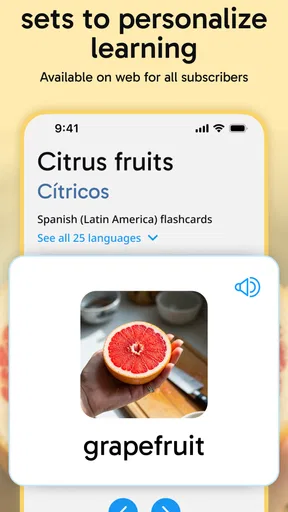
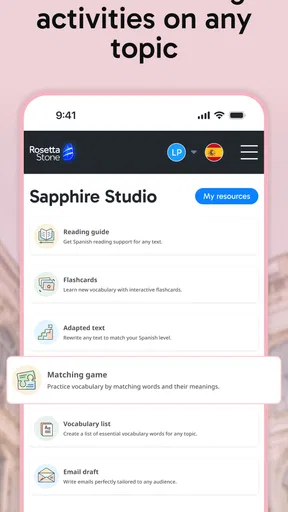
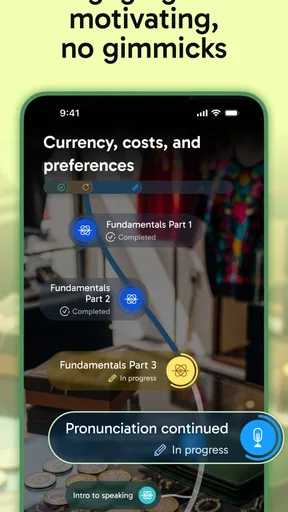
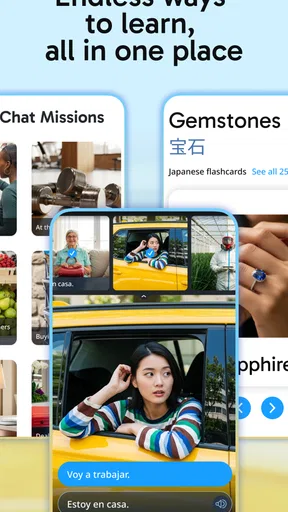
 Analysis by AppCompare
Before choosing a language app, I’d ask myself what I actually need to do with the language. If I want a guided routine that keeps me looking, listening, and speaking rather than translating every sentence, Rosetta Stone Sapphire is an appealing fit. If I mainly need grammar explanations, a large bank of written exercises, or open-ended conversation, I’d compare it with other kinds of learning tools before committing. That distinction matters more than a long feature list: a method that suits your habits is the one you are likeliest to keep using.
This is an education app from Rosetta Stone Ltd, offered free to install, with in-app purchases listed at $19.99 per item. Its audience includes learners interested in English, Spanish, French, German, Chinese, and Japanese. I’d treat the free download as a way to assess whether the teaching style works for me, while keeping in mind that continued access may involve a purchase. The app is rated for Everyone, so it can suit family learning, though an adult may still need to help a younger learner stay on task and make sense of a steady study routine.
Choose the learning style you can stick with
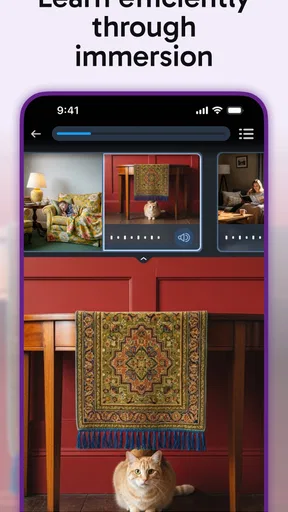
The most important decision is whether learning through context feels helpful or frustrating. Rosetta Stone’s image-led, audio-supported approach encourages me to connect words with what I see and hear. That can make a new phrase feel less like a vocabulary card and more like something encountered in a situation. It also asks for patience: if I want a direct translation or a brief grammar rule every time I get stuck, an app built around explicit explanations may feel clearer.
For a useful first test, I’d choose one language I genuinely expect to use and try a short study session at the same time each day. I’d pay attention to whether I can follow the examples without translating, whether the speaking practice makes me comfortable repeating phrases, and whether the lesson sequence gives me a reason to return. Those observations are more helpful than judging an app after a single screen or choosing a language just because it looks interesting.
Where the immersive approach earns its place
In my experience, the clearest strength is the way the lesson format encourages active attention. Instead of treating study as a stack of isolated word definitions, it asks me to notice how sound, text, and imagery work together. That can be especially useful for a beginner who wants regular exposure and a structured path, or for someone returning to a language who needs to rebuild familiarity without starting with a dense grammar book.
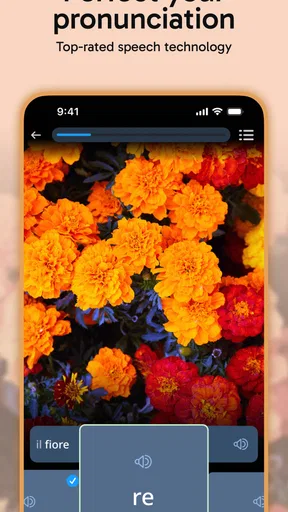
The speech recognition practice also has a practical role: it gives me a reason to say words aloud rather than silently recognizing them. I would use it to build the habit of speaking and to catch moments when a phrase needs another attempt, not as a final verdict on whether I sound like a native speaker. Feedback from an app can support practice, but it cannot reproduce the give-and-take of a real conversation or tell me how a listener responds in every context.
One useful way to work with the format is to pause after a lesson and recall a few phrases without looking at the screen. Then I’d say them aloud and try to connect each one to a situation in my own day. This small step turns recognition into retrieval, which is easier to overlook when an exercise moves quickly from one image or prompt to the next. I’d also keep a short list of phrases that remain unclear and revisit them later rather than repeatedly restarting a lesson.
Worth Reading Before You Choose

Flipboard Shows What News Apps Must Do Beyond the Feed

Switching to Android Auto Means Rethinking Your Driving Routine

Google Calendar Makes a Crowded Week Easier to Manage

Ludo King Makes the Most of the Minutes Between Plans

Baby Panda World Brings Quick Play to Modern Phones, but Its Game Library Feels Busy

ESPN’s Live Game View Makes Following Close Games Easier
When a different kind of app may fit better
Language apps serve different jobs. A flashcard-focused option can be better when I already have material to review and want to concentrate on remembering vocabulary. A grammar-led course may suit me more if I need rules explained plainly, especially when I am comparing sentence patterns. A conversation exchange or tutor-led service is a stronger choice when my priority is spontaneous speaking, correction from another person, or learning how people actually respond to an unexpected question.
That does not make those approaches incompatible with Rosetta Stone Sapphire. I could use this app for a consistent foundation and pair it with a notebook, reading, or conversation practice elsewhere. The trade-off is time: splitting attention among several tools can create a scattered routine. I’d add a second resource only to solve a specific gap, such as wanting more grammar detail or chances to speak freely, rather than collecting apps and hoping that more notifications will create progress.
Make the routine fit real life
A realistic use case is preparing for a trip while keeping study manageable. I might complete a lesson during a quiet commute or after dinner, then review a phrase before ordering food or asking for directions. If a connection is unreliable, the original article’s offline-use experience makes downloaded lessons a practical option when I expect to be without dependable Wi-Fi. I would prepare those lessons in advance rather than assume I can set everything up once I am already offline.
For a busy week, I’d aim for a repeatable slot instead of trying to make up for missed study with a long session. A short, focused visit to the app is easier to protect than an ambitious schedule that competes with work, school, or family time. On a day when I have more energy, I can revisit difficult material and speak the examples aloud. On a rushed day, even reviewing one tricky phrase can keep the routine connected to the language I am learning.
Offline lessons are useful for access, but they do not remove every practical consideration. I’d check that the lesson I want is ready before leaving home and make sure I can concentrate well enough to listen and repeat. Studying on a crowded bus, for example, may be convenient for visual exercises but awkward for speaking aloud. A quiet moment at home may be a better place for pronunciation practice, while a commute can work for listening and following prompts.
What to expect before you invest more time
The app has an average rating of 4.4 from 98 ratings, with 24 written reviews and more than 10K installs. I see that as a useful sign that other people are trying it, not as proof that its method suits every learner. The current version is 1.0.11, and the release date is Apr 28, 2026. I would still judge it by my own experience: whether the lesson style holds my attention, whether I use the speaking practice, and whether the available purchase terms make sense for my plans.
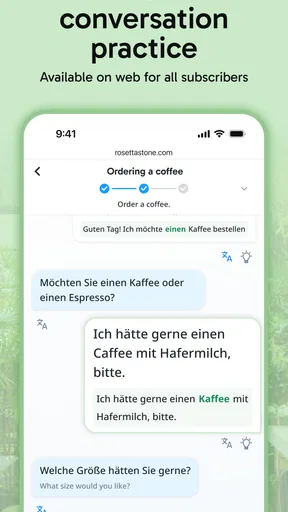
A common question is whether this is enough on its own to become conversational. I would not rely on any structured app as my only practice if conversation is the goal. Lessons can establish a routine and help me work with sounds and phrases, but real exchanges bring interruptions, unfamiliar wording, and the need to respond without a prompt. If that is the outcome I want, I’d plan for conversation practice too, even if it starts with a language partner or a simple exchange about everyday topics.
Another sensible question is whether the free download means the full learning experience costs nothing. The app is free to download, while in-app purchases are listed at $19.99 per item. Before building a long-term plan around it, I’d check what access is available to me and what a purchase covers in the app. That keeps the decision grounded in my actual budget rather than assuming that installation and continued use are the same thing.
Rosetta Stone Sapphire is a stronger match for someone who likes guided, context-based lessons and is willing to repeat material aloud. It is less compelling for a learner who needs extensive rule-by-rule teaching, prefers to study only through written exercises, or wants live conversation to be the main activity. Being clear about that before starting saves frustration: the question is not whether one approach is universally best, but whether its everyday rhythm matches the way you learn.
Learning a new language can be a daunting task, but with the right tools, it becomes an exciting journey. That's where Rosetta Stone Sapphire comes into play. As someone who loves dabbling in different languages, I decided to give this app a whirl, and here's what I discovered.
Getting Started with Rosetta Stone Sapphire
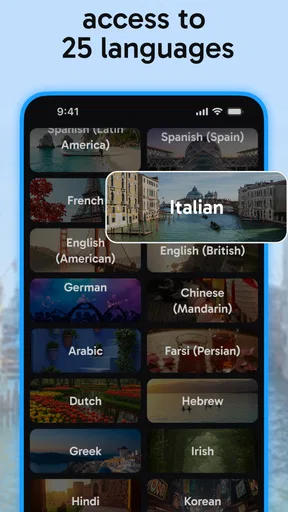
First things first, downloading Rosetta Stone Sapphire was a breeze. Available on both Android and iOS, it’s just a tap away in your app store. Once installed, I was greeted with a clean and intuitive interface that made navigation a piece of cake. I chose to start learning Spanish, but the app offers a plethora of languages to choose from, including French, German, Mandarin, and more.
A Unique Approach to Language Learning
What sets Rosetta Stone Sapphire apart is its immersive teaching technique. Unlike traditional methods that rely heavily on translation, this app plunges you straight into the language through images, audio, and text. It’s like being a kid again, learning through context rather than rote memorization. This approach felt natural and engaging, helping me pick up new words and phrases faster than I expected.
The app’s speech recognition technology deserves a special mention. As I practiced my pronunciation, it provided immediate feedback, helping me refine my accent. It's almost like having a personal language coach guiding you along.
Features That Make a Difference
One of the features I truly appreciated was the ability to download lessons for offline use. Whether I'm on a flight or just in a spotty Wi-Fi zone, I can continue learning without a hitch. The lessons are structured to cater to different levels, from beginners to advanced learners, and they build on each other in a logical sequence.
The app also includes a handy phrasebook and a section for live tutoring sessions. The phrasebook is a lifesaver when you need quick access to essential phrases during travel. The live tutoring feature, on the other hand, connects you with native speakers for real-time practice, adding a social element that’s both motivating and effective.
User Experience and Design
From a user experience perspective, Rosetta Stone Sapphire is top-notch. The interface is sleek, with a soothing color palette that makes extended use easy on the eyes. Navigation is intuitive, with everything you need just a tap away. The app also syncs seamlessly across devices, so I could switch from my phone to tablet without losing my progress.
The app’s gamified elements are subtle yet motivating. Earning badges and tracking progress through visual stats kept me coming back for more, even on days when I felt less inclined to study.
Wrapping It Up
In conclusion, Rosetta Stone Sapphire is a stellar tool for anyone looking to dive into a new language. Its immersive approach, combined with cutting-edge technology and user-friendly design, makes it a standout choice in the world of language apps. While no app can substitute for real-world practice, this one comes pretty close, offering a comprehensive learning experience that’s both fun and effective.
If you’re on the fence about which language app to try, give Rosetta Stone Sapphire a chance. It might just be the companion you need on your linguistic adventure. Happy learning!
Pros
- Intuitive interface enhances learning experience.
- Wide range of languages available for study.
- Speech recognition improves pronunciation skills.
- Offline mode allows learning without internet.
- Regular updates with new content and features.
Cons
- Subscription required for full access.
- Limited grammar explanations in lessons.
- Some users find the app's pace too slow.
- Requires significant storage space on device.
- Speech recognition can be inconsistent at times.
FAQs for Rosetta Stone Sapphire
What is Rosetta Stone Sapphire, and how does it differ from other language apps?
Rosetta Stone Sapphire is an advanced language learning app offering immersive language experiences through interactive lessons and real-world practice. Unlike other apps, it emphasizes speech recognition technology to enhance pronunciation and conversational skills. The Sapphire version includes additional resources such as cultural insights and expanded language content, setting it apart from its competitors.
Which languages are available for learning with Rosetta Stone Sapphire?
Rosetta Stone Sapphire offers a wide array of languages, including popular choices like Spanish, French, German, and Mandarin. It also includes less commonly taught languages such as Swahili and Tagalog. With over 24 languages available, users have the flexibility to explore different linguistic landscapes and tailor their learning experience to their needs.
Can I use Rosetta Stone Sapphire offline, and if so, how?
Yes, Rosetta Stone Sapphire offers offline functionality. Users can download lessons for offline use, ensuring that learning isn’t interrupted by connectivity issues. To use this feature, simply select the lessons you wish to download while connected to the internet, and they’ll be accessible anytime, anywhere without needing a data connection.
Is there a subscription fee for Rosetta Stone Sapphire, and what does it include?
Rosetta Stone Sapphire operates on a subscription model, offering monthly, annual, and lifetime plans. Each subscription provides full access to all language courses and features, including speech recognition and offline lessons. Regular updates and new content are included at no additional cost, offering comprehensive language learning support.
How effective is Rosetta Stone Sapphire for beginners?
Rosetta Stone Sapphire is highly effective for beginners, offering structured courses that build foundational skills in vocabulary, grammar, and pronunciation. Its intuitive, user-friendly interface and step-by-step lessons make it accessible for new learners. The app also adapts to individual progress, ensuring a personalized learning path that caters to varying learning speeds.


